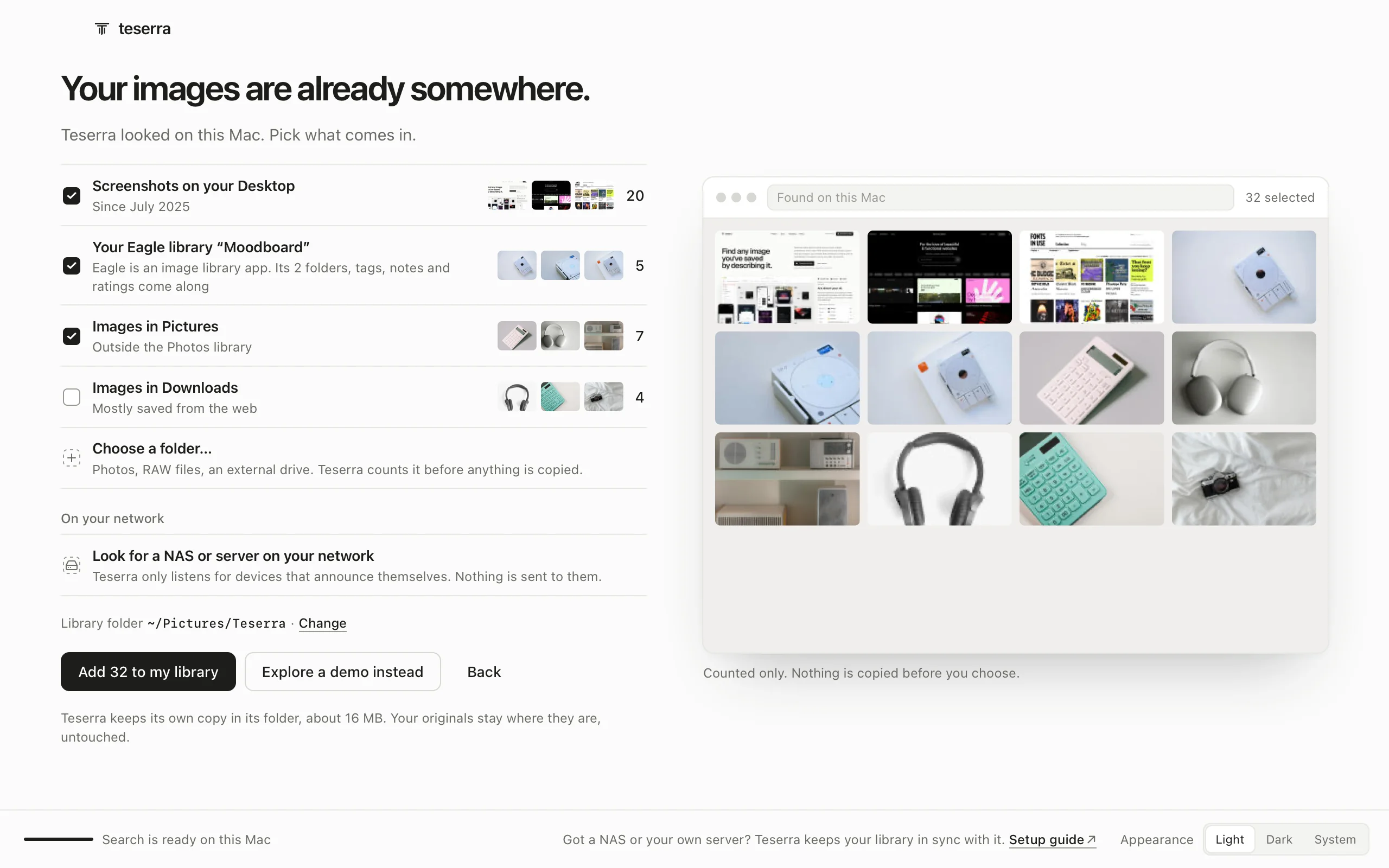
A complete image library, built for the Mac.
Collect, organize, find and look at everything you keep. Native, local, in plain folders you own.
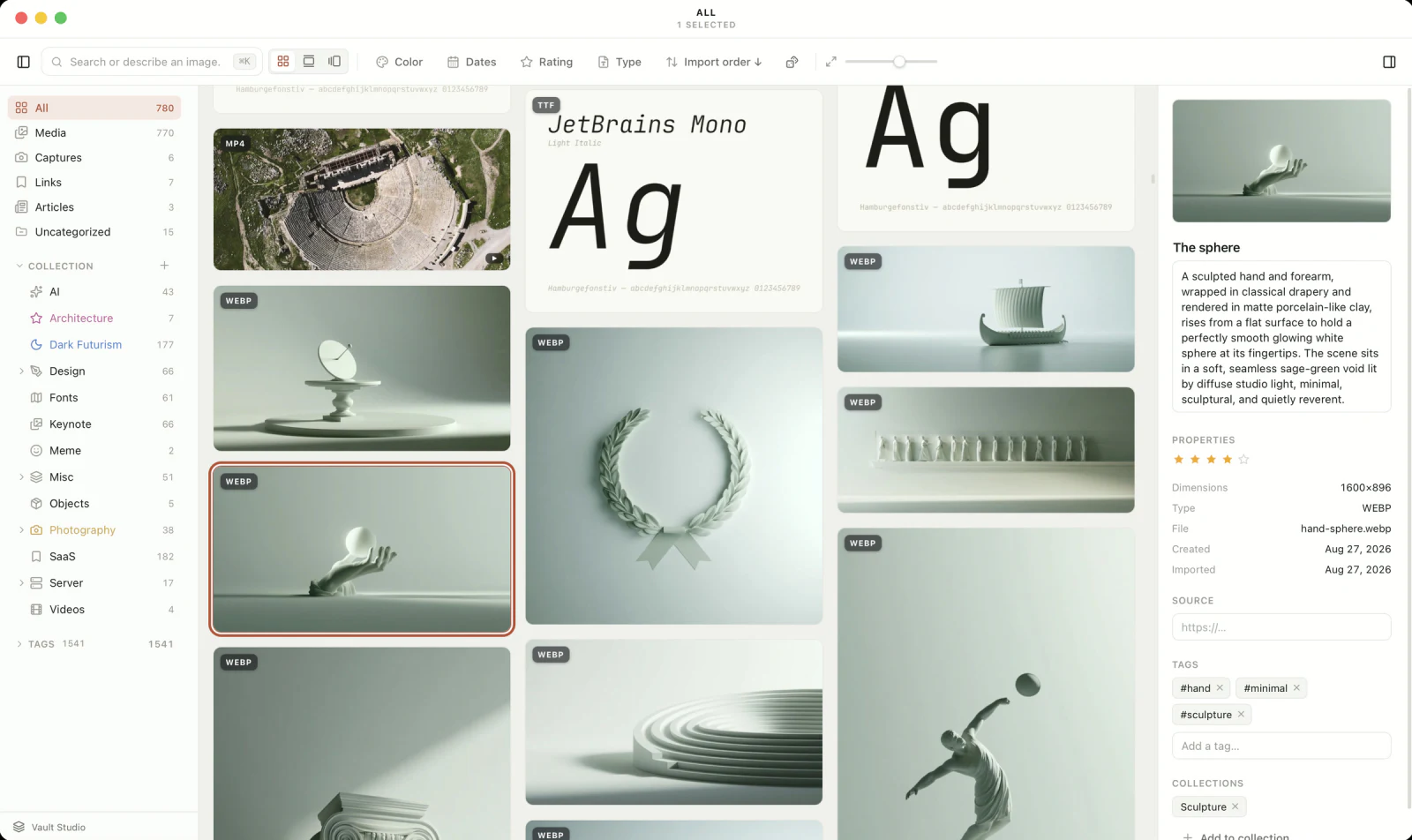
- CollectionsNested, with icons and colours. One image can live in several.
- Search by describing⌘KDescribe what you remember. The search runs on your Mac.
- Grid, Timeline, WallThree ways to look at the same library, one click apart.
- FiltersColour, dates, rating, type. Sort by anything, both ways.
- Every formatImages, RAW, fonts as specimens, video, SVG and PDF, each with its badge.
- InspectorTitle, description, stars, tags. The Curator or your own AI fills them in.
14-day free trial, then $29 once · Apple silicon, macOS 12+
Your files never leave home.
A vault is a folder, like an Obsidian vault. Your images are files, and next to each one a small text note keeps its title, tags, stars and collections. Delete the app and everything is still yours.
One library for every format.
Images
Palette, EXIF, and the words inside once the Curator has read them. GIF and WEBP animate on hover.
RAW
Canon, Nikon, Sony, Fujifilm, Olympus, Panasonic and Pentax behave like any photo, with full-size export.
Fonts
Each file becomes a specimen with its name, style, weight and glyph count.
Video
A poster frame and a duration in the grid, a player in the lightbox.
Vectors and PDF
Vectors zoom without a blur. PDFs show their first page next to the images they belong with.
From the web
Pages as cards with a live Peek, articles as clean text you can read offline, X threads included.
Save from any browser.
 Chrome
 Arc
 Brave
 Edge
 Vivaldi
 Opera
 Dia
 Firefox
 Safari
Hold ⌥ and click any image or video on any page: it is in your library, with its source. Or save the page as a card, or the article as clean text you can read offline.
| Browser | Where to get it |
|---|---|
| Chrome, Arc, Brave, Edge, Vivaldi, Opera, Dia | Chrome Web StoreAvailable, updates itself. One listing for every Chromium browser: open it from the browser you want it in. |
| Firefox | addons.mozilla.orgAvailable, updates itself |
| Safari | Inside TeserraIncluded in Teserra 1.3.2 and later. Open Teserra once, then turn it on in Safari → Settings → Extensions. It updates with the app. |
Checked on September 25, 2026. Every option, browser by browser
Grid, Timeline, Wall.
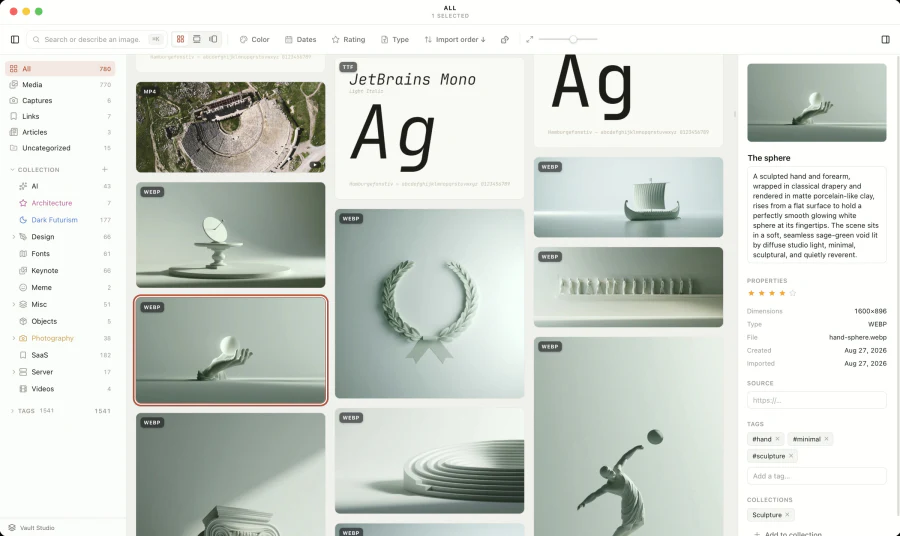
Grid
Where you work.
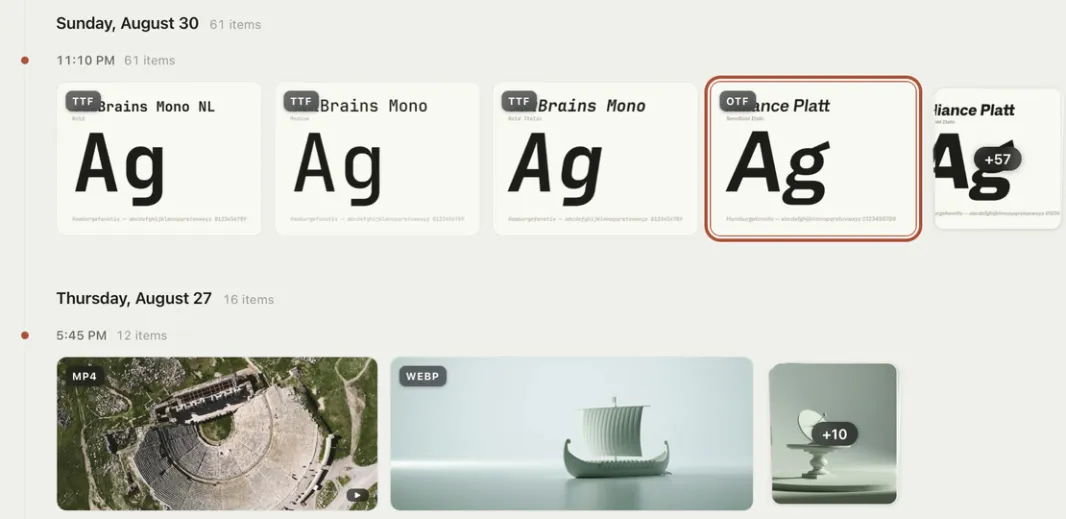
Timeline
What did I keep that Sunday?
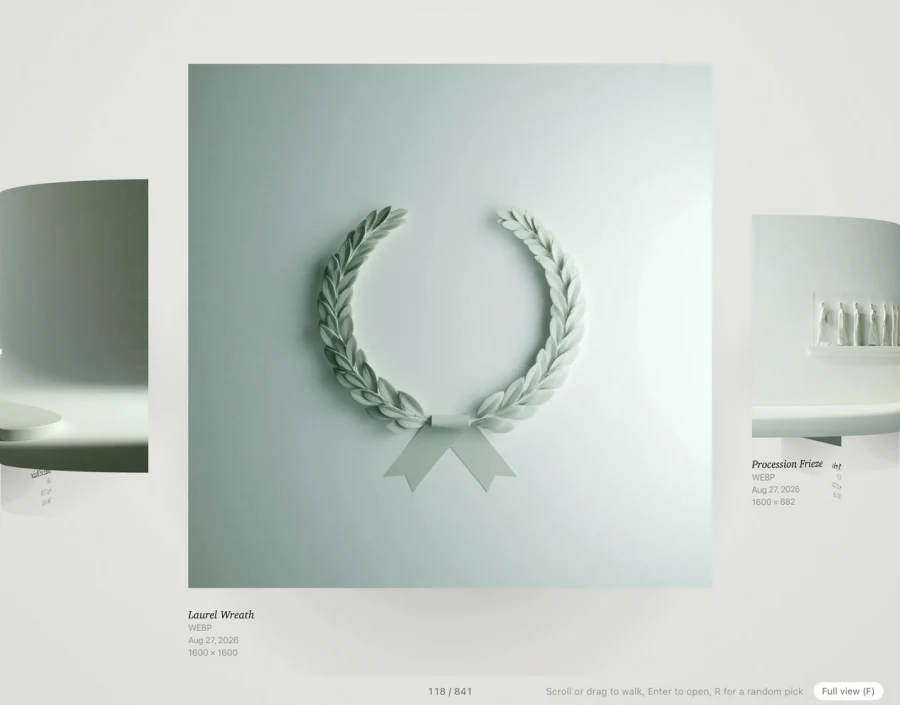
Wall
Walk your collection, R for a random pick.
Constellation.
Select what draws you in, and Teserra draws everything that belongs with it across your library, with the words and the palette they share. It runs on your Mac. How to use it
Fast at fifty thousand.
50,000items in one library. Every number here is measured, not estimated.
- To the grid, warm start
- 2.4 s
- To scroll one screen, median
- 33 ms
- Memory at rest
- 246 MB
- To index one image for search
- 5 ms
Every measurement, and the method
| Measure | 10,000 items | 50,000 items |
|---|---|---|
| Warm start, grid visibleOpen the app, see your library. | 1.7 s | 2.4 s |
| Cold start, grid visibleFirst launch after a rebuild: every sidecar is read back from disk. | 3.6 s | about 10 s |
| Main query, all itemsWhat the grid asks the database on each refresh: time and payload. | 93 ms2.2 MB | 366 ms11.3 MB |
| Typing in searchFrom a keystroke to the filtered grid, three different words. | 105 to 157 ms | 204 to 357 ms |
| ScrollingTime to render one screen-height jump, median and 95th percentile. | 33 ms median64 ms p95 | 33 ms median49 ms p95 |
| Memory at restAfter start and the tests above, thumbnails done. | 139 MB | 246 MB |
Method. Synthetic vaults built from 1,500 real PNGs repeated, 18 collections, 30 tags, titles on a third of the items. Debug build with the production front end, so a shipped Teserra is faster, not slower. Each number is one run on a quiet machine, rounded. Machine: MacBook Pro, Apple M5 Pro, 24 GB, macOS 15. Measured on September 19, 2026, Teserra 1.3.0.
Where it still hurts. At 50,000 items, a cold start takes about 10 s because every sidecar is read back from disk, the first thumbnails take minutes in the background, and typing in search takes 204 to 357 ms.
Every feature.
Everything below works today. Nothing here is a roadmap.
Collect 8
- Drag and drop, Import Files…
- From the Finder or any app. Dropped into an open collection, it joins that collection. Duplicates are caught by content, not by name.
- Global capture⌘⇧M
- Area, window or full screen, from any app, straight into the vault. For five seconds a small bar lets you drag the shot into another app, copy it or file it in a collection.
- Studio capture⌘⇧S
- A window on a backdrop, with margins, arrows, text, numbered badges and a redaction tool.
- Menu bar panel
- Last capture, recent captures, open, settings and updates from the menu bar icon.
- Paste anything⌘V
- An image, a file or a URL. A URL becomes a link card or an article: Teserra decides from the page, and a toast lets you switch.
- Copied images
- Turn on Offer to save images you copy, and a macOS screenshot copied to the clipboard gets the same small bar. Nothing is saved unless you click Save.
- Eagle importer
- Folders, tags, notes, palettes and dates from an Eagle library, rebuilt as a plain-folder vault.
- Browser extension⌥ click
- Chrome, Arc, Brave, Edge, Vivaldi, Opera, Dia, Firefox and Safari. Option-click any image or video and it is in your library; pages as cards, articles as clean text.
Catalog 5
- The Curator
- A title, a description, tags and the text read inside each image, for every import, capture and clip. It uses your own API key with the provider you choose, any OpenAI-compatible endpoint, Automatic, or on demand from the Curator desk. Or skip the key: your AI coding tool can do the same on your own plan (see Your AI coding tool).
- Collections
- Nested, drag and drop, with icons and colors. One item can live in several.
- Tags and ratings
- Autocompleted tags, one to five stars, all editable from the inspector or the context menu.
- Batch actionsT
- Select several items and the right panel acts on all of them: tag, rate, file in a collection, export. Shared tags are full, partial ones show the count. Undo takes back only what changed.
- Undo, everywhere⌘Z
- Fifty steps of undo across tags, collections, titles, ratings and the trash. Deleting is reversible.
Find 7
- Search by describing⌘K
- Describe what you remember, in English for now. A visual model (300 MB, downloaded once when you turn on Visual search) indexes every image on your Mac, and the search runs there. No account, no meter.
- Find Similar
- Any image surfaces its visual siblings across the whole library, on your Mac.
- Pick three, find the rest
- Pick a few images, and Teserra finds the others in your library with the same colours and mood: your picks at the centre, the rest on orbits, each threaded to the pick it is closest to, and a surprise from a collection you did not open. Click a style word to leave it out, or keep only the colours, the light or the style. It runs on your Mac. In the app, this is Constellation.
- What they share
- Select two images or more and the right panel shows the style words and the palette they have in common, without asking.
- Full-text search
- Filenames, titles, descriptions, tags, the body of saved articles, and the words inside screenshots once the Curator has read them.
- Filters and sort
- Color by palette proximity, rating, type, date, site. Sort by date, name, size, ratio, color or at random, both ways.
- Library activity
- A GitHub style graph in the Library panel, one square per day over fifteen weeks. Click a day to see what you added.
View 8
- Masonry grid
- Virtualized, measured at fifty thousand items. A slider for thumbnail size, GIFs play on hover.
- LightboxF
- Edge to edge, pinch and wheel zoom, minimap, arrows, fullscreen. Copy the image with ⌘C.
- Float on topO
- A reference in its own window above any app. As many as you need.
- Timeline
- Your library day by day, sessions stacked, a rail of months.
- WallR
- Walk along your collection on a curved track, a cartel under each piece. A random pick on R.
- Contact sheet
- Pick a few items and get one high resolution PNG board of them, light or dark, ready for a client or a deck.
- Constellation sheet
- A constellation as one 2400 px PNG, with its style words and palette, for a deck or a channel. Or keep it as a collection.
- Export⌘E
- The selection, in the format, quality and size you choose.
From the web 5
- LinksSpace
- Pages saved as cards with a preview and site metadata. Peek opens the live page inside Teserra.
- Articles
- The text of a page, kept as Markdown, read in a clean view offline and searchable. X threads included, tweet videos saved locally.
- Broken link check
- Saved links are re-checked weekly. Dead ones get a badge and a filter.
- Browsers, from Settings
- Settings → Browser lists the browsers on your Mac, shows which ones are paired with Teserra, and gets the extension for the others.
- Add-ons you can switch off
- Links, Articles, Visual search, Curator and Agent access are modules, each a piece in the Add-ons gallery with its state and the one step left. Turning one off hides it, nothing is deleted.
Your AI coding tool 7
- Agent access
- Optional: a local MCP server for Claude Code, Cursor, Codex and other AI coding tools. Off by default, 127.0.0.1 only, one token to copy.
- Read tools
- Overview, collections, tags, items, images, contact sheets, search, similar items, constellations and written tastes.
- Write tools, on request
- Behind an explicit “Allow changes”: tags, collections, titles, ratings, imports, descriptions of pictures that have none, written tastes. Every agent action lands in your undo stack.
- A style brief, written once
- Your coding tool writes the style brief of a collection: colours with hex values, type, layout, details, what to avoid. Teserra keeps it next to the collection as plain Markdown, and any project can apply it.
- Cataloguing on your AI plan
- Your coding tool describes and tags the pictures that have no description yet, with its own vision, on your Claude or ChatGPT plan. A note you wrote is never overwritten.
- Ready-made commands
- In Claude Code, /mcp__teserra__taste, use_taste, catalog and constellation run the right tools in the right order.
- Activity
- The latest calls, visible in Settings, so you always know what an agent did.
Trust 4
- Offline first
- No account. If the license server is unreachable, the app still works.
- What leaves your Mac
- With Visual search installed, search, Find Similar and Constellation run on your Mac. The Curator, if you turn it on, sends a small copy of each image it catalogs to the AI provider you chose, under your own key. Your AI coding tool sees what it asks for, under your own AI plan. Teserra itself checks for updates and your license. Nothing of your library goes to us.
- Anonymous statistics, optional
- Counts only, never content, and a single switch turns them off.
- Signed and notarized
- Apple Developer ID, in-app updates with release notes. One purchase, three Macs, every update of the current major version.
Every keyboard shortcut · With your AI coding tool · Switching from Eagle
Try all of it, free, for 14 days.